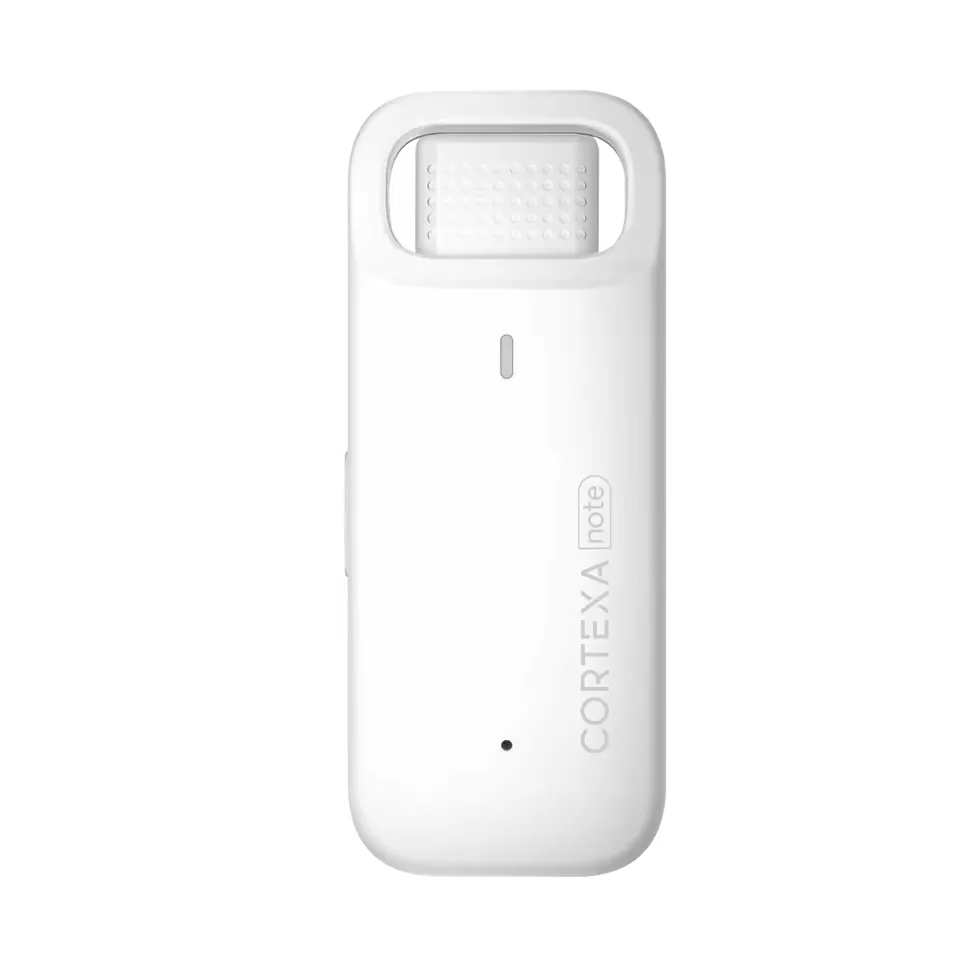
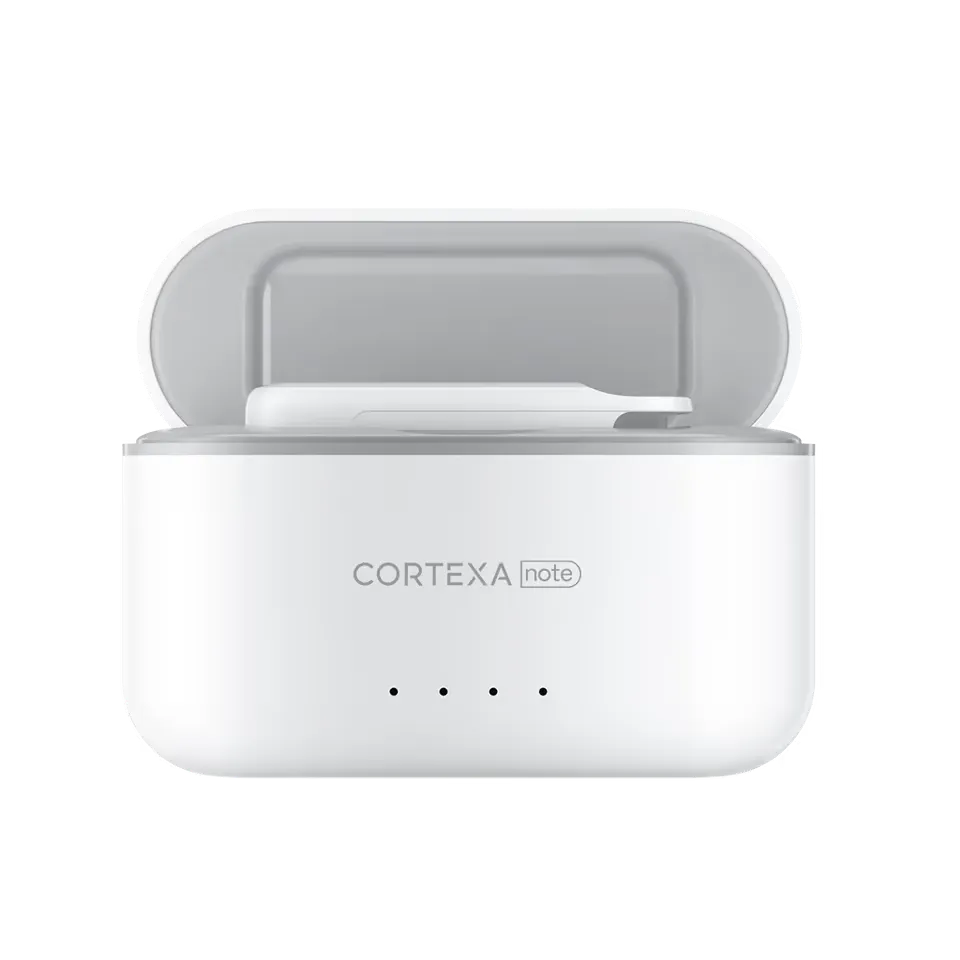
CortexaNote product

Built for how clinicians actually work.

From live capture to notes, templates, tasks, coding preparation, and EHR handoff, every feature is designed around real clinical workflows.

  • 18

    product workflows

    Every feature maps to a concrete documentation job instead of a vague capability page.

  • 5

    clinical control points

    Consent, capture, context, review, and handoff stay visible from the first page of the product experience.

  • 1 loop

    from encounter to chart

    Recorder, AI scribe, tasks, templates, and integrations are presented as one clinical workflow.

CortexaNote features

Everything you need for seamless clinical documentation.

Use the feature explorer to move from daily capture work to quality controls and team-scale workflows.

15 visible

Browse every CortexaNote product workflow.

Workflow
How CortexaNote works
2 min read

Record the encounter, review the structured draft, and move approved notes toward the chart.

One-tap recording

Auto-sync to app

SOAP draft generation

Explore feature
Capacity
Save time
2 min read

Give documentation time back to the clinical day without weakening review quality.

Less after-hours charting

Fewer repeated clicks

Faster note review

Explore feature
Personalization
Customisation
2 min read

Tune vocabulary and templates to how your practice documents.

Custom vocabulary

Specialty templates

Workspace standards

Explore feature
Clinical memory
Context
2 min read

Keep transcripts, prior notes, and patient instructions close to the workflow.

History access

Advanced search

Patient instruction generation

Explore feature
Input
Dictate
2 min read

Use CortexaNote for summaries, corrections, and quick clinical dictation.

Quick dictation

Corrections

Follow-up notes

Explore feature
Input
Transcribe and dictate
2 min read

Support ambient encounters and direct dictation from the same clinical language layer.

Ambient capture

Direct dictation

Transcript review

Explore feature
Structure
Templates
2 min read

Standardize SOAP notes, letters, reports, and forms without forcing every clinician into generic prose.

Template library

Specialty structures

Reusable note formats

Explore feature
Operations
Align departments
2 min read

Give teams a shared documentation standard across roles, sites, and handoffs.

Shared templates

Workspace governance

Quality review

Explore feature
Workforce
Attract talent
2 min read

Make documentation load a reason clinicians stay, not a reason they leave.

Reduced admin load

Professional tools

Recruiting signal

Explore feature
Scale
Grow efficiently
2 min read

Add patient capacity without multiplying after-hours charting.

Higher throughput

Cleaner operations

Team billing

Explore feature
Care quality
Patient focus
2 min read

Keep the laptop from becoming the center of the encounter.

More presence

Less typing

Clear follow-up

Explore feature
Experience
Patient loyalty
2 min read

Create a calmer visit and faster post-visit communication loop.

Patient instructions

Continuity

Trustworthy notes

Explore feature
Growth
Scale capacity
2 min read

Use AI documentation infrastructure to absorb more care volume safely.

Repeatable workflows

Workspace controls

Import-ready notes

Explore feature
Quality
Standardise quality
2 min read

Make good documentation structure the default across the practice.

Consistent outputs

Review checklists

Specialty lexicons

Explore feature
Productivity
Work smart
2 min read

Compress the path from conversation to approved chart entry.

Record once

Review quickly

Import cleanly

Explore feature

Product workflow

One product loop from encounter to chart.

The full system stays visible before clinicians choose the feature that matches their bottleneck.

  1. Capture

    Start with a real clinical source

    Record in-room, telehealth, or dictated work with consent and context visible.

  2. Draft

    Generate the structure

    Create a transcript, SOAP draft, patient instructions, and follow-up artifacts from the same encounter.

  3. Review

    Keep judgment with the clinician

    Edit nuance, apply the right template, and approve the final clinical record.

  4. Handoff

    Move work into the system

    Send approved notes, tasks, and integration-ready output toward the chart and team workflow.

See the product in a clinical workflow.

Start with the feature that matches your documentation bottleneck, then connect it to Recorder capture, review, and EHR handoff.

Try Cortexa

Always on

Required for the website and the CortexaNote app to work: sign-in sessions, security and bot protection, language and layout preferences, and remembering the cookie choice you make here. These cannot be switched off because the service cannot be delivered without them.

Show cookies and providers
  • ctx_consent

    Cortexa AI, Inc. / 12 months / Both

    Stores the cookie choice you made: the categories you allowed, when you decided, the policy version you saw and a random consent ID so we can prove the choice later.

  • wos-session

    WorkOS, Inc. on behalf of Cortexa AI, Inc. / Session, refreshed while you stay signed in / app.cortexanote.com

    Encrypted sign-in session for the CortexaNote web app.

  • cortexa.ai.gcip_session

    Cortexa AI, Inc. / 1 day / app.cortexanote.com

    Lets the CortexaNote browser extension authenticate with the account you are signed in to.

  • NEXT_LOCALE, sidebar_state, theme, workbench-pref:* (local storage), cortexa-app-download-splash-dismissed (session storage)

    Cortexa AI, Inc. / Language 12 months; sidebar 7 days; other values until you clear browser storage or the session ends / app.cortexanote.com

    Remembers display language, light or dark appearance, sidebar and panel layout, and whether the mobile app prompt was dismissed.

  • Cloudflare Turnstile challenge

    Cloudflare, Inc. / Session / cortexanote.com

    Bot and abuse protection on the Recorder checkout form.

Loads optional third-party features, currently embedded YouTube videos. When this is off, videos show a placeholder and only load if you click to play them.

Show cookies and providers
  • YouTube embedded player (VISITOR_INFO1_LIVE, YSC, PREF and related cookies set by YouTube)

    Google LLC (Google Ireland Limited for users in the EEA, UK and Switzerland) / Session to 6 months, set by YouTube / cortexanote.com

    Plays demo videos hosted on YouTube when you load them.

Helps us understand how the website and app are used and how they perform: Google Analytics on cortexanote.com, and PostHog analytics and Datadog performance monitoring on the website and in the app. On the website, PostHog also records masked session replays; Datadog does not record replays. Off until you turn it on.

Show cookies and providers
  • _ga, _ga_<container id>

    Google LLC (Google Ireland Limited for users in the EEA, UK and Switzerland) / 2 years / cortexanote.com

    Google Analytics 4 visitor and session identifiers used to count visits, pages viewed and conversion events such as demo requests or checkout starts.

  • ctx_ga

    Cortexa AI, Inc. / 180 days / cortexanote.com

    Stores the Google Analytics client ID so a later sign-up on app.cortexanote.com can be attributed to the same website visit.

  • ph_<project key>_posthog and ph_* (cookie, local and session storage)

    PostHog, Inc. / 12 months / Both

    Website events, checkout funnels and masked session replays. Product analytics in the CortexaNote app, linked to your account when signed in.

  • _dd_s, _dd_s_v2

    Datadog, Inc. / 15 minutes of inactivity, at most 4 hours / Both

    Performance monitoring and error diagnostics for the website and CortexaNote app. Website Session Replay is disabled.

Measures whether our advertising on Google and Meta leads to sign-ups or Recorder orders, and remembers which campaign brought you here. Off until you turn it on. Patient and clinical data are never shared with advertising platforms.

Show cookies and providers
  • _fbp, _fbc

    Meta Platforms, Inc. (Meta Platforms Ireland Limited for users in the EEA, UK and Switzerland) / 90 days / cortexanote.com

    Meta Pixel browser identifier and Meta ad click identifier used to measure whether Meta ads lead to demo requests, checkout starts or Recorder orders.

  • ctx_attr (cookie), __ctx_attribution (session storage), ctx_ads_attribution_v1 (local storage in the app)

    Cortexa AI, Inc. / 90 days / Both

    Remembers the campaign and ad click identifiers (UTM parameters, gclid, fbclid) that brought you to Cortexa so a later sign-up or order can be attributed to that campaign.

  • _gcl_au, _gcl_aw, _gcl_gb

    Google LLC (Google Ireland Limited for users in the EEA, UK and Switzerland) / 90 days / cortexanote.com

    Google Ads conversion linker cookies that store the Google ad click identifier so conversions can be attributed to the ad.

You can change or withdraw consent at any time from Cookie settings in the footer. Withdrawing stops the related cookies and processing from that moment; it does not affect processing that already took place.Cookie PolicyPrivacy PolicyPolicy version 2026-09-11

常に有効

ウェブサイトと CortexaNote アプリの動作に必要なものです。ログインセッション、セキュリティとボット対策、言語や表示の設定、そしてここで行った Cookie の選択を記憶するために使います。これらがないとサービスを提供できないため、オフにすることはできません。

Cookie と提供元を表示
  • ctx_consent

    Cortexa AI, Inc. / 12 か月 / 両方

    お客様の Cookie の選択(許可したカテゴリー、選択日時、表示されたポリシーの版、後から選択を証明するためのランダムな同意 ID)を保存します。

  • wos-session

    WorkOS, Inc.(Cortexa AI, Inc. の委託先) / セッション(ログイン中は更新) / app.cortexanote.com

    CortexaNote ウェブアプリの暗号化されたログインセッション。

  • cortexa.ai.gcip_session

    Cortexa AI, Inc. / 1 日 / app.cortexanote.com

    CortexaNote ブラウザー拡張機能がログイン中のアカウントで認証するために使います。

  • NEXT_LOCALE、sidebar_state、theme、workbench-pref:*(ローカルストレージ)、cortexa-app-download-splash-dismissed(セッションストレージ)

    Cortexa AI, Inc. / 言語は 12 か月、サイドバーは 7 日、その他はブラウザーのデータを消去するかセッション終了まで / app.cortexanote.com

    表示言語、ライト/ダーク表示、サイドバーやパネルの配置、モバイルアプリの案内を閉じたかどうかを記憶します。

  • Cloudflare Turnstile チャレンジ

    Cloudflare, Inc. / セッション / cortexanote.com

    Recorder 購入フォームのボット・不正利用対策。

任意の外部機能を読み込みます。現在は YouTube の埋め込み動画です。オフの場合、動画の代わりに案内が表示され、再生をクリックしたときだけ読み込まれます。

Cookie と提供元を表示
  • YouTube 埋め込みプレーヤー(VISITOR_INFO1_LIVE、YSC、PREF など YouTube が設定する Cookie)

    Google LLC(EEA・英国・スイスの利用者は Google Ireland Limited) / セッションから最長 6 か月(YouTube が設定) / cortexanote.com

    読み込んだときに YouTube でホストされたデモ動画を再生します。

ウェブサイトとアプリがどのように使われ、どの程度快適に動作しているかを把握するために使います。cortexanote.com では Google アナリティクスを、ウェブサイトとアプリでは PostHog の分析と Datadog のパフォーマンス監視を使用します。ウェブサイトでは PostHog によるマスク済みのセッションリプレイも記録します。Datadog のリプレイは無効です。オンにするまで使用しません。

Cookie と提供元を表示
  • _ga、_ga_<コンテナ ID>

    Google LLC(EEA・英国・スイスの利用者は Google Ireland Limited) / 2 年 / cortexanote.com

    訪問数、閲覧ページ、デモ依頼や購入開始などのコンバージョンイベントを集計するための Google アナリティクス 4 の訪問者・セッション識別子。

  • ctx_ga

    Cortexa AI, Inc. / 180 日 / cortexanote.com

    app.cortexanote.com での後日の登録を同じサイト訪問に紐づけるため、Google アナリティクスのクライアント ID を保存します。

  • ph_<プロジェクトキー>_posthog、ph_*(Cookie・ローカル/セッションストレージ)

    PostHog, Inc. / 12 か月 / 両方

    ウェブサイトのイベント、購入ファネル、マスク済みセッションリプレイ。アプリの製品分析はログイン中のアカウントに紐づきます。

  • _dd_s, _dd_s_v2

    Datadog, Inc. / 無操作 15 分、最長 4 時間 / 両方

    ウェブサイトとアプリのパフォーマンス監視とエラー診断。ウェブサイトの Datadog リプレイは無効です。

Google と Meta での広告が登録や Recorder の注文につながったかを測定し、どのキャンペーンから訪問されたかを記憶します。オンにするまで使用しません。患者情報や診療内容が広告プラットフォームに共有されることはありません。

Cookie と提供元を表示
  • _fbp、_fbc

    Meta Platforms, Inc.(EEA・英国・スイスの利用者は Meta Platforms Ireland Limited) / 90 日 / cortexanote.com

    Meta の広告がデモ依頼、購入開始、Recorder の注文につながったかを測定するための Meta ピクセルのブラウザー識別子と広告クリック識別子。

  • ctx_attr(Cookie)、__ctx_attribution(セッションストレージ)、ctx_ads_attribution_v1(アプリのローカルストレージ)

    Cortexa AI, Inc. / 90 日 / 両方

    後日の登録や注文をキャンペーンに帰属させるため、Cortexa への訪問のきっかけとなったキャンペーンと広告クリックの識別子(UTM パラメーター、gclid、fbclid)を記憶します。

  • _gcl_au、_gcl_aw、_gcl_gb

    Google LLC(EEA・英国・スイスの利用者は Google Ireland Limited) / 90 日 / cortexanote.com

    コンバージョンを広告に帰属させるため、Google 広告のクリック識別子を保存するコンバージョンリンカー Cookie。

同意はフッターの「Cookie 設定」からいつでも変更・撤回できます。撤回するとその時点から該当する Cookie と処理を停止しますが、それ以前に行われた処理には影響しません。Cookie ポリシープライバシーポリシーポリシー版 2026-09-11